

Emoji drone refers to digital symbols, custom icons and emoji combinations representing drones, aerial photography, unmanned aerial vehicles (UAVs) and autonomous technology.
There is currently no official drone emoji in the Unicode Standard. However, existing aviation emojis, creative text symbols and custom stickers offer practical alternatives for drone enthusiasts, photographers, businesses and robotics communities.
Quick Emoji Drone Copy-Paste Symbols
Copy and paste these symbols into messages, social media captions or online discussions to represent different drone activities.
| Emoji | Suggested Meaning |
|---|---|
| 🚁 | Rotary-wing aircraft |
| 🛩️ | Fixed-wing drone |
| 🚁📷 | Camera drone |
| 🚁📦 | Delivery drone |
| 🚁🌾 | Agricultural drone |
| 🚁🕹️ | FPV drone |
| 🚁🤖 | Autonomous drone |
| 🚁🏁 | Drone racing |
| 🚁✨ | Drone light show |
These emoji drone alternatives use existing Unicode characters and creative combinations rather than officially standardized drone emojis.
What Is an Emoji Drone?
An emoji drone is an informal term for a digital symbol representing an unmanned aircraft. It may take the form of an existing emoji combination, custom illustration or text design.
These symbols help users discuss aerial photography, remote-controlled aircraft, autonomous delivery, agriculture, robotics and recreational flying. Their meaning depends on context rather than an officially recognized definition.
Is There an Official Drone Emoji?
No. As of November 18, 2026, the Unicode Emoji 18.0 character list does not include a dedicated drone or quadcopter emoji.
| Emoji Information | Current Status |
|---|---|
| Official drone emoji | Unavailable |
| Quadcopter emoji | Unavailable |
| Dedicated Unicode code point | Not assigned |
| Standard iPhone drone emoji | Unavailable |
| Standard Android drone emoji | Unavailable |
| Custom drone emojis | Available on supported platforms |
| Copy-paste alternatives | Available |
| Official release date | Not announced |
Until Unicode approves a dedicated drone character, users can rely on existing emoji drone alternatives, custom icons and platform-specific stickers.
Best Emoji Drone Alternatives and Unicode Codes
The following aviation and technology symbols can represent different aspects of drone operations.
| Emoji | Official Short Name | Unicode Code Point |
|---|---|---|
| 🚁 | Helicopter | U+1F681 |
| 🛩️ | Small airplane | U+1F6E9 |
| ✈️ | Airplane | U+2708 |
| 🤖 | Robot | U+1F916 |
| 📷 | Camera | U+1F4F7 |
| 🎮 | Video game | U+1F3AE |
| 🛰️ | Satellite | U+1F6F0 |
| 🛸 | Flying saucer | U+1F6F8 |
| 📡 | Satellite antenna | U+1F4E1 |
| 🔋 | Battery | U+1F50B |
| 🕹️ | Joystick | U+1F579 |
| ⚙️ | Gear | U+2699 |
Some characters use the U+FE0F variation selector to request emoji-style presentation. The helicopter represents rotary-wing flight, while the small airplane can suggest fixed-wing UAVs. Neither is an official drone emoji.
Creative Emoji Drone Combinations for Different Drone Types
Combining multiple emojis helps communicate specific drone activities more effectively than using individual symbols.
| Drone Type or Activity | Emoji Combination |
|---|---|
| Camera drone | 🚁📸 |
| Aerial videography | 🚁🎥 |
| FPV racing drone | 🚁🏁 |
| Delivery drone | 🚁📦 |
| Agricultural drone | 🚁🌱 |
| Underwater drone | 🤖🌊 |
| Search and rescue drone | 🚁🆘 |
| Mapping drone | 🚁🗺️ |
| Construction inspection | 🚁🏗️ |
| Drone swarm | 🚁🚁🚁 |
| Autonomous drone | 🚁🤖 |
| Drone light show | 🚁✨ |
| Drone maintenance | 🚁🔧 |
| Battery monitoring | 🚁🔋 |
| FPV flying | 🚁🕹️🥽 |
For greater clarity, combine these symbols with descriptive words. For example, writing “🚁📦 Drone delivery” helps distinguish the activity from helicopter transportation.
Emoji Drone Text Symbols and ASCII Alternatives
Text-based drone designs offer creative alternatives that users can copy and paste without downloading images or installing additional applications.
| Text Symbol | Suggested Meaning |
|---|---|
| ⊕─[●]─⊕ | Drone-inspired aircraft |
| ✧─[■]─✧ | Flying technology |
| ◉─▣─◉ | Camera drone |
| ⊕─⊗─⊕ | Drone-inspired design |
[ UAV ] |
Unmanned aerial vehicle |
[ FPV ] |
First-person view drone |
o-[O]-o |
ASCII drone design |
These illustrative designs are not official emojis. Designs using basic ASCII characters qualify as ASCII art, while others use Unicode symbols. Their appearance may vary depending on fonts, devices and application formatting.
Why Is There No Official Drone Emoji?
The Unicode Consortium evaluates proposed emojis against established selection criteria. Technological popularity alone does not guarantee inclusion.
Important considerations include:
- Expected usage supported by credible evidence.
- Visual distinctiveness at small display sizes.
- Potential communication uses across different contexts.
- Availability of existing emoji alternatives.
- Long-term relevance and appropriate artwork licensing.
These are general considerations, not confirmed reasons for rejecting a particular drone proposal.
How Would an Official Drone Emoji Look?
A potential design could feature four propellers, a compact frame and a simplified camera. Clear rotor arms and neutral styling would distinguish it from existing aircraft symbols without promoting a specific manufacturer.
This is an illustrative concept, not an approved Unicode design.
How to Use an Emoji Drone on Different Devices
Although no official drone emoji exists, users can represent drones through built-in emoji keyboards, custom stickers and personalization features across different devices.
- iPhone: Open the emoji keyboard or create a custom drone Genmoji on compatible devices.
- Android: Use Gboard to select aviation emojis or share custom drone stickers.
- Windows: Press Windows + . (period) to access the emoji panel.
- Mac: Press Control + Command + Space to open the Character Viewer.
These alternatives allow users to express drone-related activities without downloading additional applications.
How to Use an Emoji Drone on WhatsApp
WhatsApp supports standard emoji combinations and personalized stickers. On compatible versions, users can create drone stickers from photographs.
- Open a WhatsApp conversation.
- Access the sticker section.
- Select the sticker creation option.
- Choose a drone photograph.
- Customize the image, then send or save it.
Where supported, AI-generated stickers offer another customization method. Stickers are images rather than universal Unicode characters.
How to Create a Custom Emoji Drone
Custom designs offer a more accurate visual representation than existing aircraft emojis.
- Choose a design: Select a recognizable quadcopter, FPV drone or industrial UAV.
- Create the icon: Use Canva, Figma or other graphic design software.
- Optimize the image: Choose a square canvas, clear outlines and transparent background.
- Export the file: Save it as PNG or another supported image format.
- Upload the emoji: Assign a recognizable name such as :drone: or :quadcopter:.
- Test compatibility: Review the design on mobile and desktop screens.
Custom emojis remain dependent on the platform where they are uploaded.
How to Add a Drone Emoji to Discord
Open Server Settings, locate the Emoji section, upload your drone illustration and assign a name. Appropriate server permissions are required.
Discord’s default allowance includes up to 50 static custom emojis. Files must be smaller than 256 KB and use supported formats such as PNG, JPEG, GIF or WebP. Cross-server use may require an eligible subscription.
How to Add a Drone Emoji to Slack
Open Slack’s emoji picker, select the custom emoji option, upload an image and assign a name.
Slack recommends square images below 128 KB with transparent backgrounds. Supported formats include PNG, JPG and GIF. Workspace administrators may restrict uploads.
Unicode Emojis vs Custom Drone Emojis
| Feature | Unicode Emoji | Custom Drone Emoji |
|---|---|---|
| Standardized character | Yes | No |
| Drone-specific design | Unavailable | Available |
| Copy-paste as text | Yes | Generally no |
| Cross-platform support | Broad | Limited |
| Design customization | Limited | Extensive |
| Unicode code point | Assigned | No dedicated code |
| Best use | General messages | Specialized communities |
Standard symbols offer portability, while custom designs provide visual accuracy.
Practical Applications of Emoji Drone Symbols
Drone-related symbols can support communication across multiple industries.
- Aerial photography: 🚁📷 identifies photography portfolios and aerial footage.
- Precision agriculture: 🚁🌾 represents crop monitoring and agricultural technology.
- Drone delivery: 🚁📦 accompanies aerial delivery demonstrations.
- Drone racing: 🚁🏁 highlights FPV competitions and training sessions.
- Robotics and automation: 🚁🤖 represents UAV development and autonomous flight.
Accompany symbols with clear descriptions, particularly when communicating with unfamiliar audiences.
How Businesses Can Use Drone Emojis Effectively
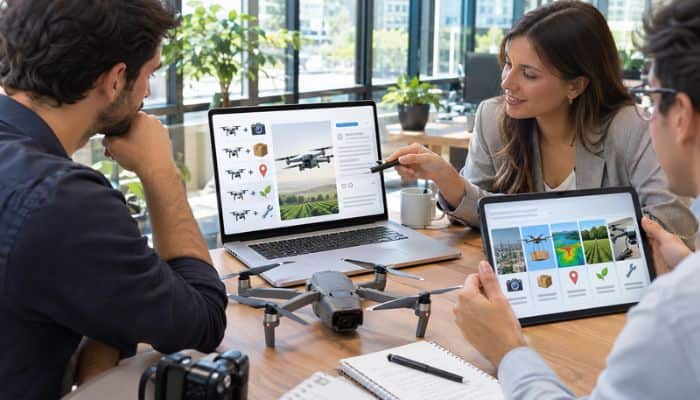
Businesses can use emoji drone combinations in marketing campaigns, customer communications and social media posts to highlight their services and improve visual communication.
| Business Activity | Example Caption |
|---|---|
| Photography | 🚁📷 Capture stunning aerial views |
| Delivery | 🚁📦 Aerial delivery demonstration |
| Mapping | 🚁🗺️ Precision aerial mapping |
| Maintenance | 🚁🔧 Scheduled equipment maintenance |
| Agriculture | 🚁🌾 Smarter crop monitoring |
| Inspection | 🚁🏗️ Infrastructure inspection |
Businesses should combine emojis with descriptive text to maintain clarity and professionalism. For safety warnings, equipment faults and technical reports, always use precise written information rather than relying solely on emojis.
Drone Emojis in Social Media and Marketing
Content creators can use drone symbols in Instagram captions, YouTube descriptions and LinkedIn updates.
Example captions include:
- 🚁📷 Capturing the world from above.
- 🚁🌅 A new perspective on every sunset.
- 🚁🏁 Ready for the next FPV challenge.
- 🚁🤖 Exploring autonomous flight technology.
- 🚁✨ Lighting up the night sky.
Relevant emojis may improve visual presentation but cannot guarantee engagement, traffic or search rankings.
Emoji Drone vs Drone Icons, Stickers and GIFs
Different digital formats provide practical ways to represent drones in online communication, websites and social media.
| Format | Best Use |
|---|---|
| Standard emoji combinations | Text messages |
| Custom emojis | Discord and Slack |
| Drone icons | Websites and applications |
| Stickers | Messaging applications |
| Animated GIFs | Entertainment and social media |
| SVG graphics | Scalable website visuals |
| PNG images | Custom visual communication |
Choose standard emoji combinations for broader compatibility and image-based formats for accurate drone representation.
Why Are Drone Emojis Displayed Differently Across Platforms?
Unicode standardizes emoji characters, but technology companies develop their own visual designs. Consequently, aviation emojis may look different across Apple, Samsung, Google and Microsoft devices.
Custom drone emojis may appear as images, shortcodes or unsupported symbols depending on software versions and application compatibility.
Why Is My Drone Emoji Not Showing?
Outdated software, unsupported fonts and application restrictions can cause display issues when using emoji drone alternatives.
| Problem | Possible Solution |
|---|---|
| Empty square appears | Update software or fonts |
| Custom emoji disappears | Check platform support |
| Shortcode appears as text | Verify custom emoji availability |
| Sticker fails to load | Check internet connection and app support |
| Emoji looks different | Expect platform-specific designs |
| Image cannot paste as text | Use standard emoji combinations |
A drone symbol displayed on a website may be a PNG image, SVG graphic or custom font character rather than an official Unicode emoji. Check its format and compatibility before copying or sharing it.
How to Identify Misleading Drone Emojis
Check the official Unicode emoji charts before accepting claims about standardized drone characters. Verify the source, supported format and licensing permissions before downloading illustrations.
Avoid installing unnecessary browser extensions or keyboard applications merely to obtain an unofficial symbol.
Accessibility and Licensing Considerations
Screen readers may announce 🚁📦 as helicopter and package rather than drone delivery. Adding descriptive text makes the communication clearer.
The World Wide Web Consortium recommends meaningful alternative text for informative images and empty alternative text for decorative images. Businesses should also check commercial usage rights for third-party drone icons and emoji artwork.
Common Mistakes When Using Drone Emojis
When using emoji drone alternatives, avoid these common mistakes to ensure clear, accurate and effective communication.
- Misidentifying symbols: Do not mistake 🚁 for an official drone emoji.
- Assuming universal compatibility: Check whether custom emojis work on your preferred platform.
- Downloading untrusted apps: Use reputable sources for drone icons and stickers.
- Overusing emojis: Keep messages simple, readable and professional.
- Ignoring accessibility: Include descriptive text alongside emojis.
- Assuming universal shortcodes: The :drone: shortcode only works where it has been defined.
- Replacing safety instructions: Always use precise written information for drone operations and safety warnings.
How to Request an Official Drone Emoji
Drone enthusiasts can propose an official emoji drone through the Unicode Consortium’s formal submission process.
Follow these steps:
- Review existing emoji proposals and eligibility requirements.
- Provide evidence of potential usage and demand.
- Explain the design’s visual distinctiveness.
- Prepare appropriately licensed sample artwork.
- Submit a complete PDF proposal through Unicode’s official submission form when submissions reopen.
Unicode’s 2026 submission period ran from April 2 to July 31, with submissions scheduled to reopen in 2027. Previously declined concepts cannot be resubmitted within four years. Submission does not guarantee approval.
Will There Be an Official Drone Emoji in the Future?
A dedicated drone emoji could appear in a future Unicode release if an eligible proposal meets the selection criteria and receives approval. However, no official release date has been announced.
Until then, existing emoji combinations, custom drone icons and digital stickers remain practical alternatives.
Conclusion
Emoji drone symbols offer creative ways to represent unmanned aircraft, aerial photography and autonomous technology. Although Unicode does not provide a dedicated drone emoji, existing aviation symbols, text designs and custom stickers offer useful alternatives.
Choose recognizable symbols with descriptive text to maintain clarity, accessibility and cross-platform compatibility.
Emoji Drone FAQs
1. Can I use an emoji drone in HTML?
Yes, you can display emoji drone alternatives on websites using Unicode characters or HTML character references.
2. Does an emoji drone combination count as one character?
Not necessarily. Emoji drone combinations contain multiple Unicode code points, and character counts vary by application.
3. Can I change the color of an emoji drone?
Standard emoji colors depend on platform designs, but custom emoji drone illustrations can be edited using graphic design tools.
Disclaimer
This article is for informational purposes only. Emoji drone alternatives are unofficial representations, and their appearance and compatibility may vary across platforms and devices.
