
You just saw a message you need to save. Maybe it’s proof of something important, maybe it’s a group chat moment too good not to keep, or maybe you’re just curious. Your thumb hovers over the screenshot button, and one question stops you: Does WhatsApp Notify Screenshots when you capture a conversation?
It’s a fair worry. Apps like Snapchat trained an entire generation to be paranoid about screenshots, and that fear followed us onto every other app, including WhatsApp. So before you tap that button, it helps to know exactly what WhatsApp does and doesn’t do behind the scenes.
This guide answers does WhatsApp notify screenshots for every situation you’ll actually run into: Normal chats, Status updates, View Once photos, disappearing messages, and profile pictures. We tested this across both iPhone and Android in 2026, so you’re getting the real, current answer, not outdated guesses from three years ago.
Does WhatsApp Notify Screenshots?
No, for almost everything. WhatsApp does not notify anyone when you screenshot a regular chat, a group conversation, or a Status update. There is exactly one major exception: View Once photos and videos, where WhatsApp doesn’t send an alert either it simply blocks the screenshot from working at all.
Here’s the short version before we go deeper:
| Content Type | Does WhatsApp Notify Screenshots? | What Actually Happens |
| Regular Chat Messages | No | Screenshots work normally, and no alert is sent to the other person. |
| Group Chats | No | Screenshots can be taken without notifications or warnings. |
| Status Updates | No | WhatsApp does not notify users when someone screenshots their status. |
| Disappearing Messages | No | Screenshots still work, and the disappearing message timer continues normally. |
| View Once Photos/Videos | No notification, capture is blocked instead | The screen may turn black, and WhatsApp prevents the screenshot from being captured. |
| Profile Pictures | No notification, often blocked | Screenshot ability depends on device settings and privacy restrictions. |
| Video Calls | No | Screenshots can be taken during calls without any notification being sent. |
Now let’s break down exactly why, so you’re not just taking our word for it.
Does WhatsApp Notify Screenshots in Normal Chats?
No. This is the question most people are actually asking, and the answer hasn’t changed in years: WhatsApp does not notify screenshots taken in one-on-one chats or group conversations.
Here’s what that means in practice:
- You can screenshot a text message, and the sender sees nothing.
- You can screenshot a shared photo or video (as long as it’s not View Once), and nothing pings the other person.
- It doesn’t matter if you’re using WhatsApp Business or the regular app the rule is the same.
- It doesn’t matter which phone you’re using iPhone and Android behave identically here.
WhatsApp was built as a private messenger, not a “vanishing content” app. So unlike Snapchat, it was never designed to police what you do with a conversation once it’s on your screen.
Does WhatsApp Notify Screenshots on Status Updates?
No, and this trips people up because Instagram and Snapchat both alert users when their Stories get screenshotted. WhatsApp doesn’t follow that pattern.
If you screenshot someone’s Status:
- They get no notification, no icon, no alert of any kind.
- They can only see that you viewed their Status (a basic view receipt) not whether you captured it.
- This applies the same way on iPhone and Android.
So if you’re wondering whether WhatsApp sends a screenshot alert on Status updates the way Instagram does it doesn’t.
The One Real Exception: View Once Photos and Videos
Here’s where the answer changes, and it’s the most important part of this guide.
View Once media (photos or videos meant to disappear after a single viewing) used to work like everything else no notification either way. That changed. WhatsApp decided that simply not notifying wasn’t private enough, so instead of adding an alert, they made screenshots impossible.
Here’s what happens now when you try:
- You open a View Once photo or video.
- You attempt a screenshot or screen recording.
- Your screen turns black, and the capture fails completely.
- This works the same way on both iPhone and Android.
So technically, WhatsApp still doesn’t notify screenshots of View Once content because there’s nothing to notify. It prevents the action before it can happen, which is actually a stronger form of privacy than a notification would be.
The only real workaround people use is photographing the screen with a second device but that’s outside WhatsApp’s control, and it produces a lower-quality image, not a true screenshot.
Does WhatsApp Notify Screenshots of Disappearing Messages?
No. This one confuses people because “disappearing” sounds like it should behave like Snapchat. It doesn’t.
- If a message is set to disappear after 24 hours, 7 days, or 90 days, you can still screenshot it before it vanishes.
- The sender gets no alert.
- The only thing that changes is the message deletes itself later your screenshot capture is invisible to them either way.
So if your real question is “does WhatsApp notify when you screenshot a disappearing message,” the answer is the same as everything else: no.
What About Profile Pictures?
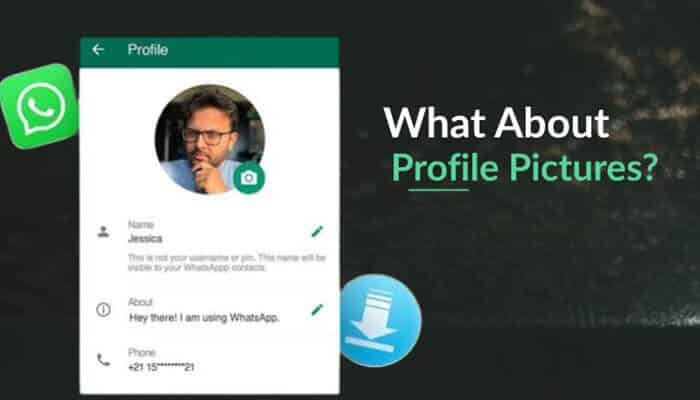
This is a smaller but growing exception. As WhatsApp has tightened privacy controls, some profile pictures especially ones set to a restricted audience are becoming harder to screenshot on newer app versions, similar to View Once protection. This depends on the sender’s privacy settings and isn’t universal yet, so don’t assume every profile photo is protected.
Does WhatsApp Notify Screenshots Differently on iPhone vs Android?
Mostly, no but there’s a technical reason View Once protection is slightly more consistent on one platform.
| Feature | iPhone | Android |
| Regular chat screenshots | No notification | No notification |
| Status screenshots | No notification | No notification |
| View Once screenshot block | Screen goes black | Screen goes black (more consistently enforced) |
| Screen recording of View Once | Blocked | Blocked |
| Why the small difference exists | iOS limits how deeply any app can control the screen | Android gives apps more system-level control, so WhatsApp can enforce blocks more reliably |
In everyday use, you won’t notice a difference. The gap only shows up in edge cases involving View Once media and certain security tools.
How WhatsApp Compares to Other Apps
If you’re used to Snapchat’s screenshot alerts, WhatsApp’s approach might feel unusually relaxed. Here’s how the major messaging apps stack up in 2026:
| App | Notifies on Regular Screenshots? | Notes |
| No | Blocks View Once screenshots instead of sending notifications | |
| Snapchat | Yes | Alerts users on nearly all screenshots |
| No (mostly) | Sends alerts only for vanishing/disappearing DMs | |
| Telegram | Only in Secret Chats | Regular chats do not send screenshot alerts |
| Signal | No | Follows a privacy approach similar to WhatsApp |
WhatsApp does not notify screenshots the way Snapchat does, and it’s actually one of the more screenshot-friendly major apps except where it chooses to block the action outright.
How to Protect Your Own Privacy on WhatsApp
If you’re on the other side of this worried about your messages being screenshotted here’s what actually helps:
- Use View Once for sensitive photos or videos so they can’t be captured at all.
- Turn on Disappearing Messages so old conversations don’t linger in someone’s chat history.
- Restrict your profile photo visibility in Settings > Privacy > Profile Photo.
- Limit who can see your Status by adjusting your Status privacy settings.
- Remember screenshots are always possible for regular chats treat sensitive information the same way you would in any text message.
None of these stop someone from photographing their screen with another device, but they cover the vast majority of everyday privacy concerns.
The Bottom Line
So, does WhatsApp notify screenshots? For nearly everything you do on the app chats, groups, Status updates, disappearing messages the answer is a clear no. The single exception is View Once media, where WhatsApp skips the notification entirely and blocks the screenshot instead. That’s the real, tested answer for 2026, across both iPhone and Android.
Does WhatsApp Notify Screenshots FAQs
1. Does WhatsApp notify screenshots in 2026?
No, not for regular chats, group messages, or Status updates. The only exception is View Once media, which gets blocked rather than flagged with a notification.
2. Does WhatsApp notify screenshots of View Once photos?
No. Instead of sending a notification, WhatsApp prevents the screenshot from working at all, your screen goes black if you try.
3. Can WhatsApp tell if I screenshot a chat?
There’s no built-in feature that detects or reports chat screenshots to the other person, so no, they won’t know.
4. Does WhatsApp notify screenshots on Status like Instagram does?
No. Unlike Instagram Stories, WhatsApp Status screenshots don’t trigger any alert to the person who posted it.
5. Is it safe to screenshot a disappearing message?
Yes, technically WhatsApp won’t notify anyone. Just keep in mind the message will still delete itself later on the sender’s and recipient’s devices as scheduled.