
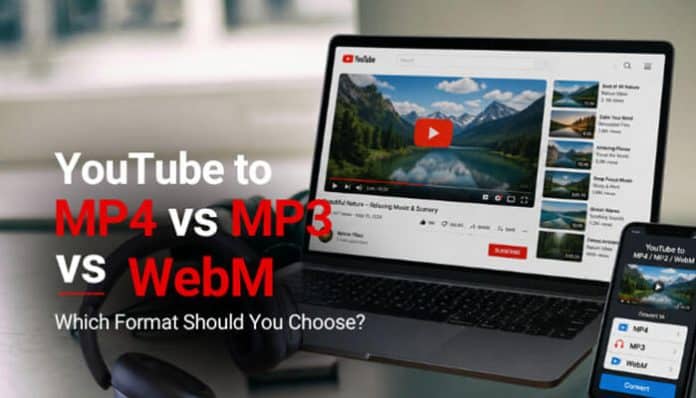
When you use a YouTube converter, one of the first decisions you face is choosing between YouTube to MP4 vs MP3 vs WebM formats for your download. The three most common options are MP4, MP3, and WebM, and they serve very different purposes. Choosing the wrong one means either getting a file that does not do what you need, or missing out on a better option for your specific use case.
This guide explains exactly what each format is, how it works, what it is best for, and how to decide between them depending on what you want to do with the downloaded content.
Understanding the Basics: Video vs Audio vs Container
Before comparing the formats, it helps to understand what a file format actually is in this context.
A video file is made up of multiple streams typically a video stream and an audio stream packaged together inside a container. The container format determines how those streams are stored and organized. The codec determines how the video and audio data within those streams are compressed and encoded.
- MP4 is a container format: It can hold video encoded in H.264 or H.265, audio encoded in AAC or MP3, and metadata like subtitles. It is a wrapper around the actual encoded data.
- MP3 is an audio-only format: It contains no video data whatsoever. It is a compressed audio encoding standard, not a container.
- WebM is also a container format: Developed by Google specifically for web use. It typically holds video encoded in VP8 or VP9 and audio encoded in Vorbis or Opus.
This distinction matters because choosing MP3 when you want video is a fundamental mismatch you will get sound but no picture. And choosing WebM when you want to play a file on an older TV or media player may result in compatibility issues.
MP4: The Universal Standard
What It Is
MP4 (MPEG-4 Part 14) was developed by the Moving Picture Experts Group and released in 2001. It became the dominant video format for consumer devices and online video because of its combination of good compression, broad compatibility, and support for both video and audio in a single file.
When you download a YouTube video as MP4, you typically get H.264-encoded video with AAC audio the most widely supported combination of codec and container in existence.
Compatibility
MP4 plays natively on virtually every device and platform:
- Windows (Windows Media Player, VLC, Photos app)
- macOS (QuickTime, VLC, IINA)
- iOS (native video player, Files app, Photos app)
- Android (native video player, VLC, MX Player)
- Smart TVs and media players (Roku, Fire TV, Apple TV, most brands)
- Video editing software (Premiere Pro, DaVinci Resolve, Final Cut Pro, iMovie)
- Web browsers (Chrome, Firefox, Safari, Edge all support MP4 natively)
File Size
MP4 files are efficiently compressed. As a general reference:
| Resolution | Duration | Approximate File Size |
| 360p | 10 minutes | 30 – 80 MB |
| 480p | 10 minutes | 60 – 120 MB |
| 720p (HD) | 10 minutes | 100 – 200 MB |
| 1080p (Full HD) | 10 minutes | 200 – 400 MB |
| 4K (UHD) | 10 minutes | 800 MB – 2 GB |
File sizes vary significantly depending on the content type, motion complexity, and encoding settings of the original video.
When to Choose MP4
- You want to watch the video with both picture and sound
- You plan to edit the footage in any video editing software
- You want to play the file on a TV, media player, or any device other than a computer
- You need maximum compatibility and do not want to think about format issues
- You are archiving the video for future use
Limitations of MP4
- Larger file size than MP3 (because it contains video data)
- Some very old devices may not support H.264, though this is increasingly rare
- At very high resolutions (4K, 8K), file sizes become substantial
MP3: Audio Only
What It Is
MP3 (MPEG-1 Audio Layer III) is a compressed audio encoding format developed in the 1990s. It became the defining format for digital music and remains one of the most universally recognized audio formats. When you choose MP3 from a YouTube converter, you are extracting only the audio track from the video and discarding the video stream entirely.
Compatibility
MP3 is universally supported:
- Every smartphone, tablet, and computer
- All digital audio players and car stereos
- Every music streaming and playback app
- Smart speakers and Bluetooth devices
- Audio editing software (Audacity, GarageBand, Adobe Audition)
If anything, MP3 has even broader device support than MP4 because it is simpler and has been around longer.
File Size
MP3 files are dramatically smaller than MP4 because they contain no video data. A 10-minute video that is 200 MB as an MP4 at 720p might be only 10-15 MB as an MP3 at standard quality (128 kbps).
| Bitrate | Quality Level | 10-Minute File Size |
| 128 kbps | Standard / acceptable | ~10 MB |
| 192 kbps | Good quality | ~14 MB |
| 256 kbps | Very good quality | ~19 MB |
| 320 kbps | Highest MP3 quality | ~24 MB |
When to Choose MP3
- You want only the audio music, a podcast, a lecture, a speech, or a soundtrack
- You plan to listen on a device without a screen or while doing other tasks
- Storage space is limited and you do not need the video
- You are creating an audio playlist from video content
- You want to add a track to a music library or audio project
Limitations of MP3
- No video, if you later decide you want the picture, you need to re-download
- Audio quality is lossy, it compresses by discarding some audio data, which is fine for casual listening but not ideal for professional audio work
- If the original YouTube video has poor audio quality, the MP3 will reflect that regardless of the bitrate you select
WebM: Google’s Open Web Format
What It Is
WebM is an open-source container format developed by Google and released in 2010. It was designed specifically for efficient web video delivery and is natively supported by Chrome, Firefox, and other modern browsers. It typically uses VP8 or VP9 video codecs paired with Vorbis or Opus audio.
YouTube actually uses WebM as one of its primary streaming formats internally. When you stream a YouTube video in Chrome, there is a good chance you are watching VP9/WebM encoded video. This means WebM files from YouTube can sometimes offer slightly better quality-to-file-size ratio than MP4 at equivalent resolutions, because no additional conversion step is involved.
Compatibility
WebM compatibility is noticeably more limited than MP4:
- Google Chrome: Full support
- Mozilla Firefox: Full support
- Microsoft Edge: Full support
- Android devices: Generally supported natively
- VLC Media Player: Full support on all platforms
WebM is NOT natively supported by:
- Apple QuickTime (macOS)
- iOS native video player
- Windows Media Player
- Most smart TVs and media streaming devices
- Many older video editing applications
You can play WebM on Apple devices using VLC or by converting the file to MP4, but it does not work out of the box with Apple’s native tools.
File Size
WebM files tend to be slightly smaller than MP4 files at equivalent quality, thanks to VP9’s efficient compression. The difference varies by content, but you might see 10-20% smaller files compared to H.264 MP4 at the same resolution.
When to Choose WebM
- You plan to play the file exclusively in a browser (Chrome or Firefox)
- You are a web developer embedding video in a website and want open-format compatibility
- You use Linux and VLC as your primary media player
- You want the smallest possible file size and understand you may have compatibility limitations
- You are specifically working with VP9 video for a technical project
Limitations of WebM
- Poor compatibility with Apple devices and software without additional players
- Not supported by most smart TVs, Blu-ray players, or media streaming sticks natively
- Less supported in video editing software compared to MP4
- Most casual users have no reason to choose it over MP4
Other Formats You May Encounter
AVI
AVI (Audio Video Interleave) is a Microsoft container format from 1992. It is still widely recognized but produces significantly larger files than MP4 for the same quality. There is rarely a reason to choose AVI over MP4 for YouTube downloads unless you are working with legacy software that requires it.
MKV
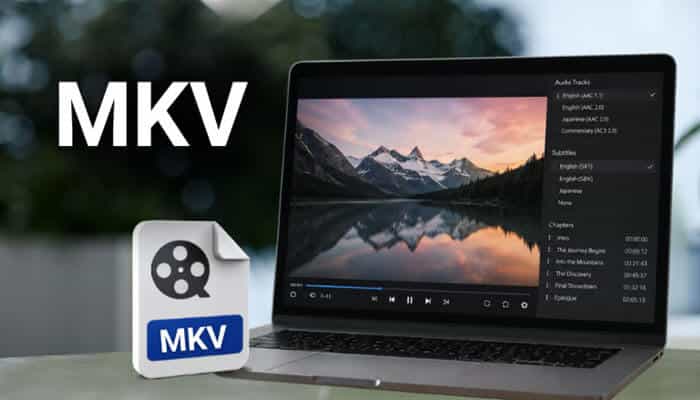
MKV (Matroska Video) is a flexible open-source container that can hold almost any codec combination, along with multiple audio tracks, subtitle tracks, and chapter markers. It is popular for high-quality movie downloads because of this flexibility. For YouTube content, MKV offers no practical advantage over MP4 in most situations, though some desktop media players prefer it.
MOV
MOV is Apple’s QuickTime container format. It plays natively on macOS and iOS and is well-supported in Apple’s video editing tools (Final Cut Pro, iMovie). For YouTube downloads, MP4 is generally a better choice because it has equivalent quality with wider compatibility across non-Apple devices.
OGG / OGV
OGG is an open-source audio format (similar purpose to MP3) and OGV is its video equivalent. Both are less common than their MP3 and WebM counterparts and have limited device support. These formats appear in some converters but are rarely the right choice for YouTube downloads.
Direct Format Comparisons
MP4 vs MP3
| MP4 | MP3 | |
| Contains video | Yes | No |
| Contains audio | Yes | Yes |
| File size (10 min) | 100 – 400 MB (HD) | 10 – 24 MB |
| Device compatibility | Universal | Universal |
| Best for | Watching video | Listening to audio only |
| Editing use | Video + audio editing | Audio editing only |
MP4 vs WebM
| MP4 | WebM | |
| Video codec (typical) | H.264 / H.265 | VP8 / VP9 |
| Audio codec (typical) | AAC | Vorbis / Opus |
| File size | Standard | Slightly smaller |
| Browser support | All major browsers | Chrome, Firefox, Edge |
| Apple device support | Full native support | Requires VLC or conversion |
| Smart TV support | Broad | Limited |
| Video editing support | Excellent | Limited |
| Best for | General use | Web / Linux / Chrome-only environments |
MP3 vs WebM Audio
Some converters offer WebM as an audio-only option (using the Opus audio codec). Opus audio is technically superior to MP3 at equivalent bitrates it achieves better quality with smaller file sizes. However, MP3 has far broader device support, especially for older hardware. For music listening on modern devices, both work fine. For maximum compatibility, MP3 remains the safer choice.
Quick Decision Guide
| What You Want to Do | Best Format |
| Watch the video with sound on any device | MP4 |
| Extract music or audio from a video | MP3 |
| Edit the video in software like Premiere or DaVinci | MP4 |
| Play only in a Chrome or Firefox browser | WebM or MP4 |
| Save storage space, audio only needed | MP3 |
| Embed video on a website (open format) | WebM |
| Play on iPhone or iPad | MP4 |
| Play on Android | MP4 or WebM |
| Play on a smart TV or media player | MP4 |
| Archive the video long-term | MP4 (highest quality available) |
| Play on Linux with VLC | MP4, WebM, or MKV |
A Note on Quality: Format vs Resolution
A common misconception is that choosing a different format improves video quality. It does not. Quality is determined by the resolution and bitrate of the original video, not by the container format. Downloading a 360p video as MP4 gives you 360p quality. Downloading it as WebM gives you the same 360p quality in a different container.
The format choice affects compatibility and file size. The resolution and bitrate selection affects quality. When prioritizing quality, always choose the highest available resolution first, then pick MP4 for maximum compatibility.
Final Thoughts
The format decision comes down to one primary question: do you want video or audio only?
If you want video, choose MP4. It is the most compatible, most widely supported, and best-suited format for every device and use case you are likely to encounter. WebM is a technically capable alternative with real advantages in specific web contexts, but its compatibility limitations make it the wrong default for most users.
If you want audio only, choose MP3. It is smaller, universally supported, and does exactly what you need without carrying unnecessary video data.
When in doubt, download as MP4. You can always convert to another format later. You cannot add video data to an MP3 after the fact.
YouTube to MP4 vs MP3 vs WebM FAQ’s
1. Can I convert an MP4 to MP3 after downloading?
Yes, Many free tools handle this conversion VLC Media Player, Audacity, FFmpeg, and online converters like Convertio all support MP4 to MP3 conversion. If you are unsure which format you need, downloading as MP4 first and converting to MP3 later is a flexible approach.
2. Can I convert a WebM file to MP4?
Yes, VLC Media Player can convert WebM to MP4 through its Convert / Save feature at no cost. Handbrake is another free tool that handles this conversion well.
3. Does the format affect audio quality?
The format itself does not, but the codec and bitrate do. MP3 is a lossy format it compresses by discarding some audio data. AAC (used in MP4) is also lossy but generally achieves better quality than MP3 at the same bitrate. If audio quality is critical, choose MP4 and extract audio separately with a tool like Audacity rather than using an MP3 converter.
4. Why does my converter only offer 720p for MP4 but 1080p for WebM?
This is a technical limitation of how some online converters work. YouTube delivers 1080p and above as separate video and audio streams that need to be merged. Some converters skip the merge step and only offer pre-merged streams, which top out at 720p. Desktop tools like 4K Video Downloader handle the stream merging and provide 1080p and above in MP4 format.
5. Is MP4 always the right choice?
For most people in most situations, yes. The only clear exceptions are: if you want audio only (choose MP3), if you are a web developer working specifically with open formats (consider WebM), or if you are on Linux and comfortable with WebM’s compatibility profile.